01 / TRACKLess effort to log.
Less effort to log.
More time for the work.
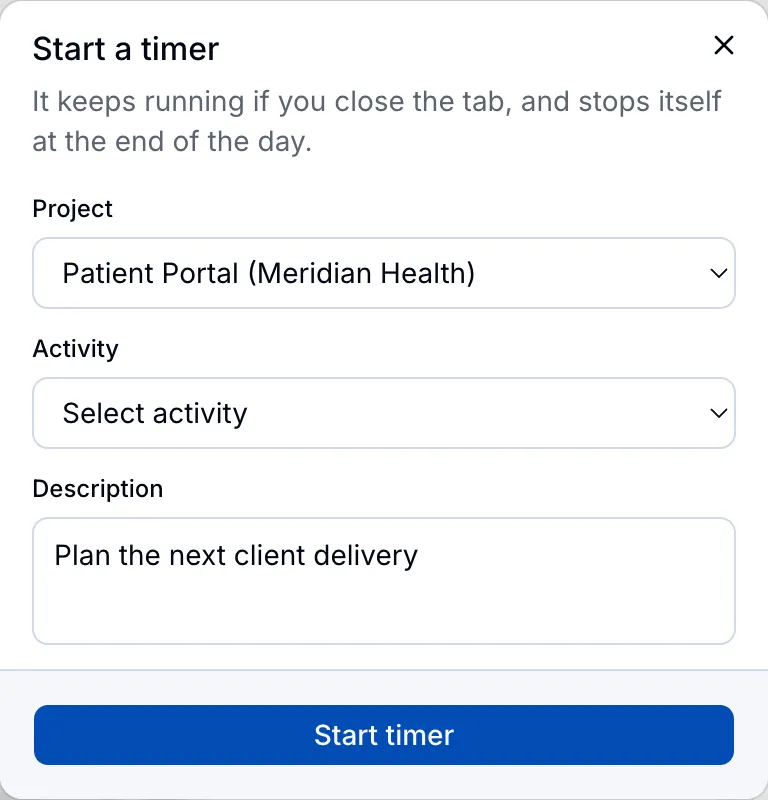
Use the timer while you work, or add hours manually. Keep each entry connected to the right client and project.
For small teams doing client work
Track time with a timer or manual entry. Review your team’s hours, add approvals when needed, and export clear reports for billing.
First 3 seats free. $4.99/month per additional seat.
No credit card to start.

We built Donedory for our own client work: from tracking the hours to getting them ready for the invoice.
See the reporting workflowA little structure. A clearer week.
A simple rhythm for the whole team. Capture the work, see it together, and hand the hours over for billing.
Use the timer while you work, or add hours manually. Keep each entry connected to the right client and project.
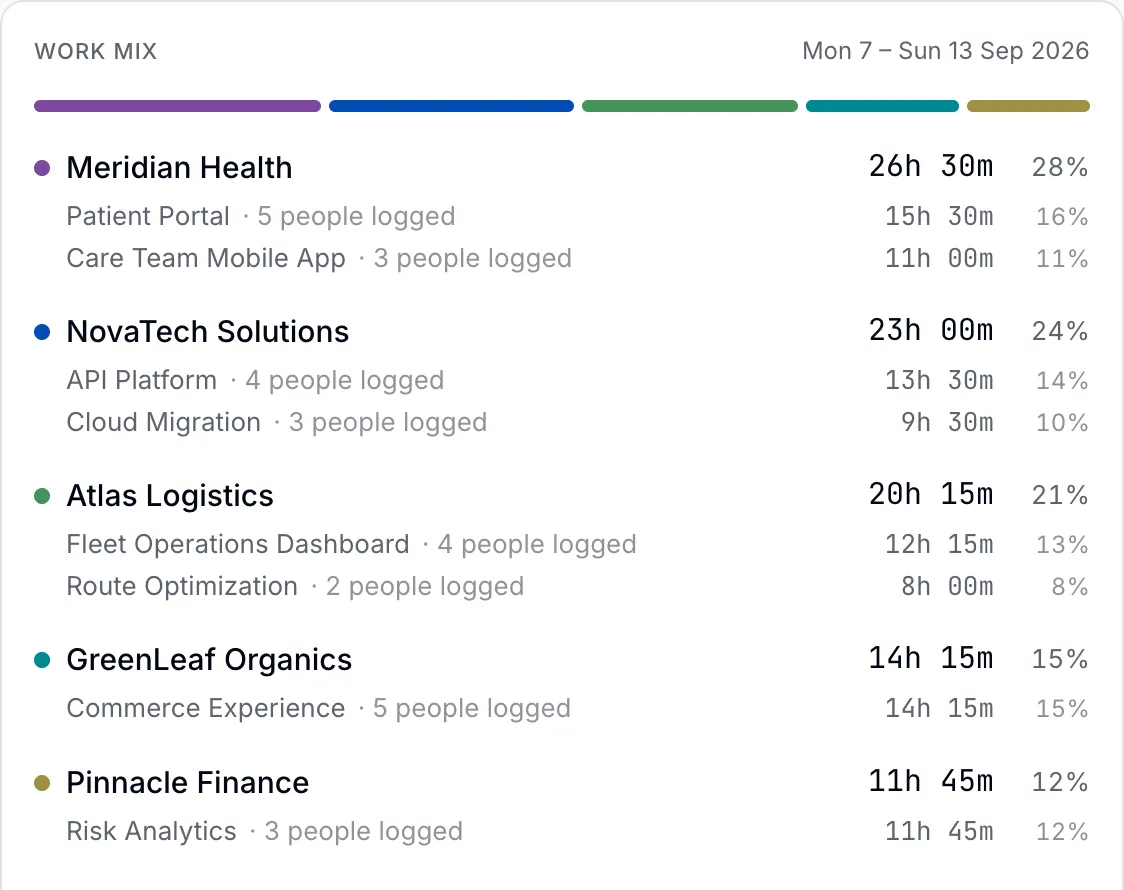
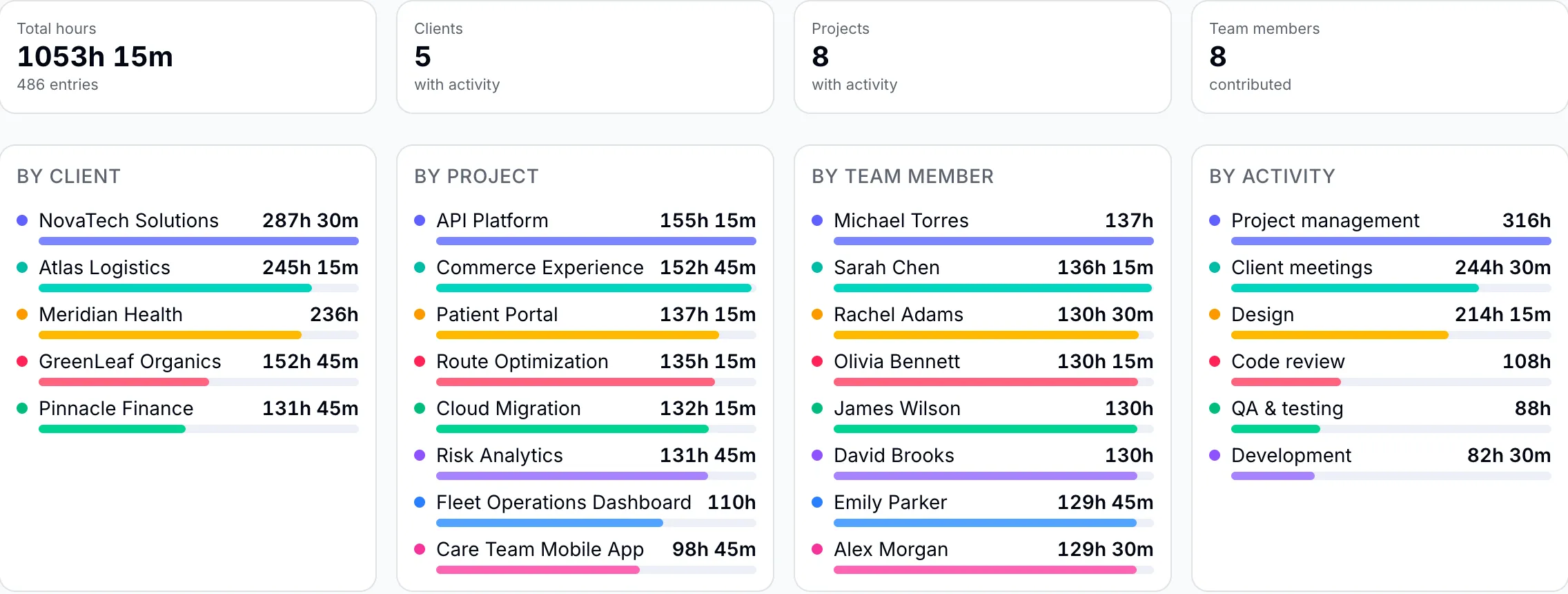
See where the hours went across clients, projects, and teammates. Add approvals if your team needs a review step.
Filter your hours by client, project, teammate, or activity. Export a CSV or PDF and keep billing in the tool you already use.
Optional approvals
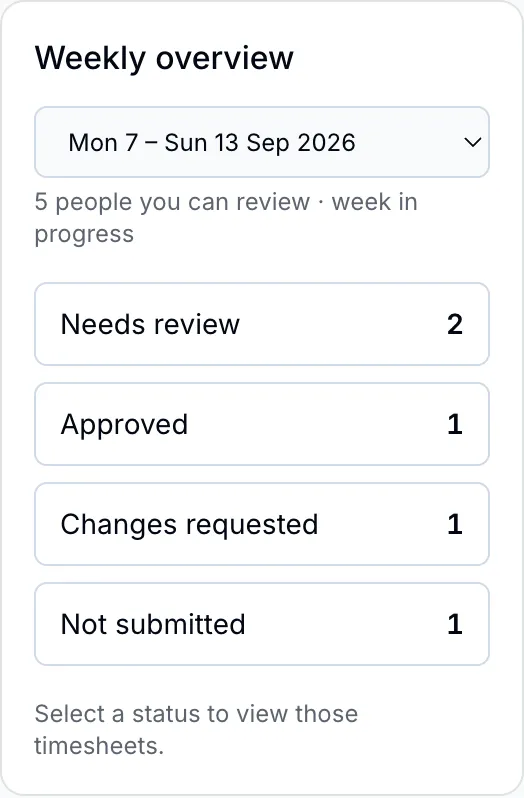
Review submitted weeks, request changes with feedback, and lock approved time. Your workspace owner can enable approvals, set exemptions, and choose who reviews each person.
Fits the way you work
Connect an AI tool to look up project hours, work with time entries, or start and stop your timer. Each connection follows your permissions and the access you approve.
MCP stands for Model Context Protocol — a shared interface between AI tools and the services you use.
About the MCP interfaceConnect to Donedory
Claude Code
claude mcp add --transport http donedory https://donedory.app/api/mcpMCP server URL
https://donedory.app/api/mcpUse Streamable HTTP, then sign in and approve access to your workspace.
Built around people
Sign in with Google, GitHub, or an email link. Track work with the timer or manual entry, organized by client and project.
Employees see their own entries. Managers can review the projects they manage, with roles set per project.
Time tracking without screen capture, GPS tracking, or activity monitoring. Keep the focus on the work.
Room for the whole team
Your first 3 seats stay free. Add the people you need at $4.99 per additional seat, per month.
Team totals on monthly billing. VAT where applicable.
Need vendor details or a signed DPA?
Talk to us at hello@donedory.com
Or $49 per additional seat, billed annually.
Save about 18% with annual billing.
No credit card to start. Cancel anytime.
A few practical questions
Something else on your mind?
Get in touch
Yes. Donedory supports a timer for tracking as you work, alongside manual time entry. Your team can use the approach that suits the work.
No. The workspace owner can enable or disable weekly approvals, exempt individual members, and assign named approvers. When approvals apply, reviewers can approve a week or request changes with feedback.
MCP connects compatible AI tools to Donedory using browser sign-in and workspace consent. Supported operations include time entries, timers, reports, and weekly approvals, limited by your role and the access you grant. Setup and connection management are in Settings → Connections.
Yes. Import CSV data for people, clients, projects, activities, memberships, and time entries, or use a detailed timelog export from Harvest, Toggl, or Clockify. Review the mapping and preview before committing. Data exports are CSV files limited to records your role can read; reports also support CSV and Print / PDF.
The first 3 seats stay free. Each additional seat costs $4.99/month, or $49/year on annual billing. A team of 10 pays for 7 seats: $34.93/month or $343/year, before applicable VAT. No credit card is required to start.
Project employees see their own time entries; project managers can review time on projects they manage. Workspace owners and admins have broader access. Named timesheet approvers are configured separately from project roles. Approved weeks are locked while approvals apply.
Donedory tracks hours and exports reports as CSV or PDF. Keep using your existing invoicing or accounting tool for invoices, payments, and tax.
The web interface works in a phone browser, with no native app required. Donedory needs an internet connection; there is no offline mode. It is designed primarily for teams working from a laptop.
Yes. Email hello@donedory.com for vendor details, a signed DPA, or procurement questions. Our privacy policy, terms, and DPA are available from the footer.
Make the next week a little clearer
Bring your team’s hours together in Donedory.